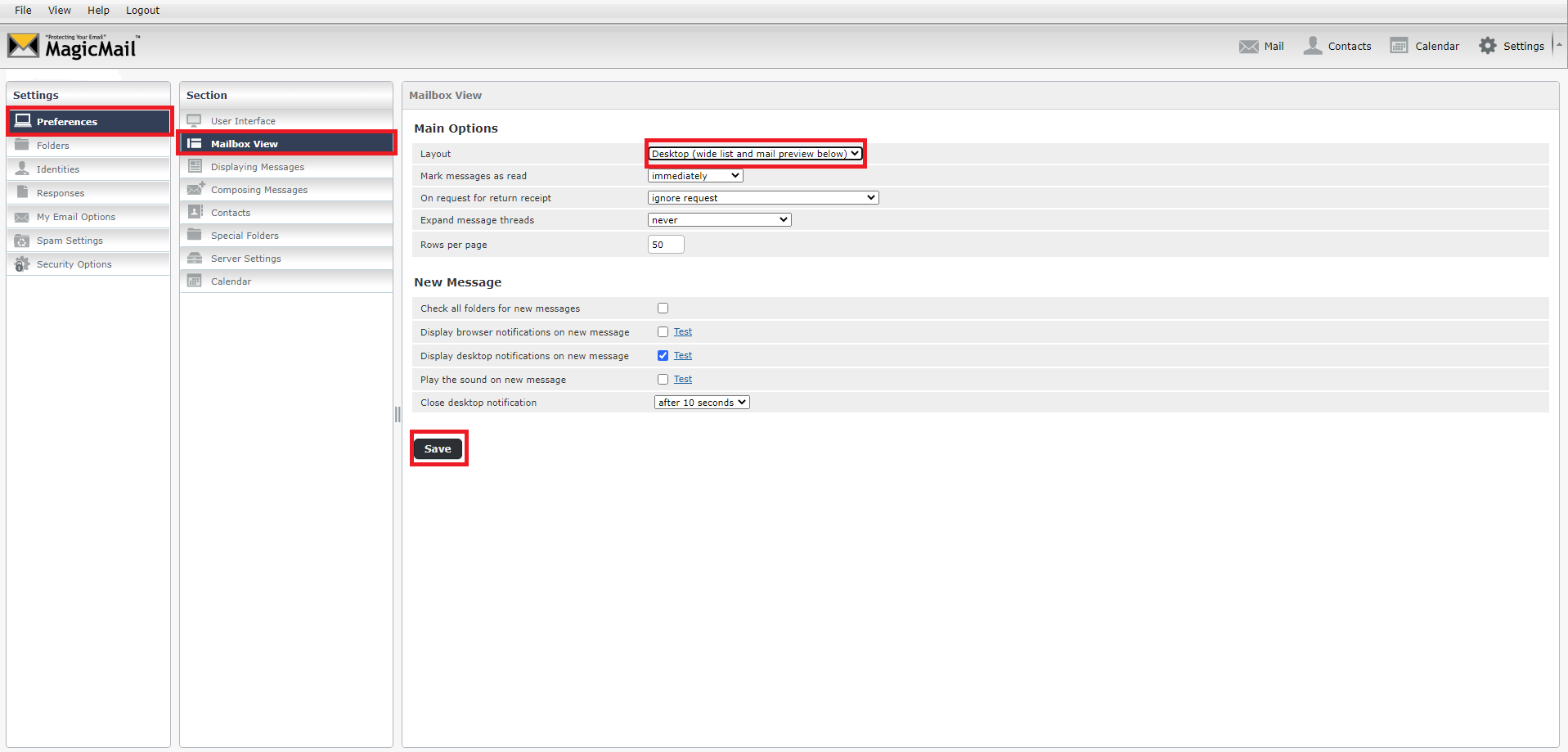
How to Change the Webmail Interface Layout
Updated Mar 6, 2026 · 1 min read
Webmail has been updated and has a new default layout, similar to Outlook. If you do not like the new layout, you can change it back by following the steps below.
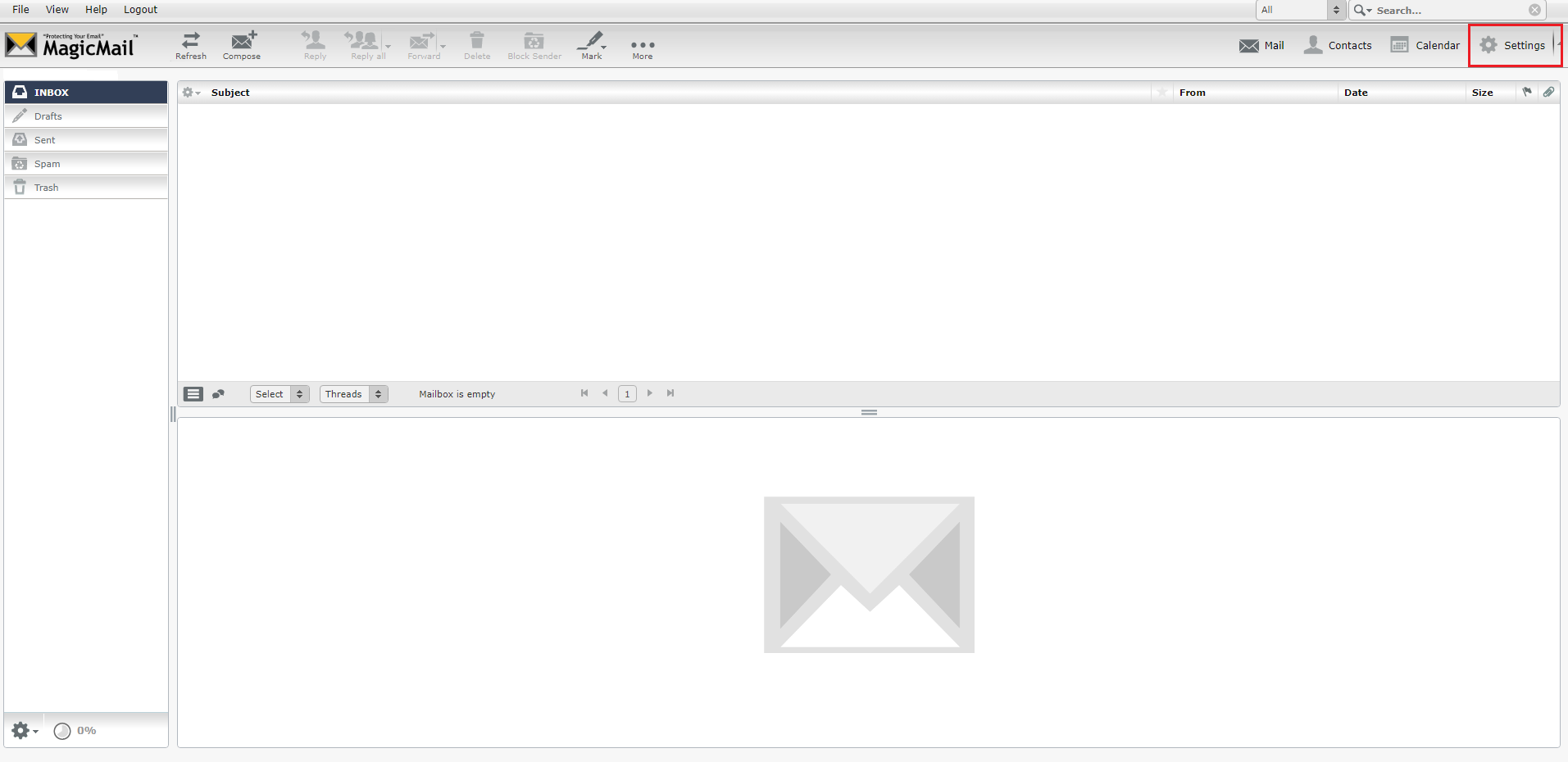
With Webmail open, click "Settings" at the top left as shown below:
Then you will select "Preferences", from the menu on the left, then choose "Mailbox View". You can change the "Layout" to one of 3 options. The "Desktop (wide list and mail preview below) is the older layout. Make your selection, then click "Save".