
How to Adjust my Anti-Spam Settings
Updated Nov 18, 2026 · 1 min read
This article explains how to block email addresses (Blacklist) or how to allow specific senders (Whitelist).
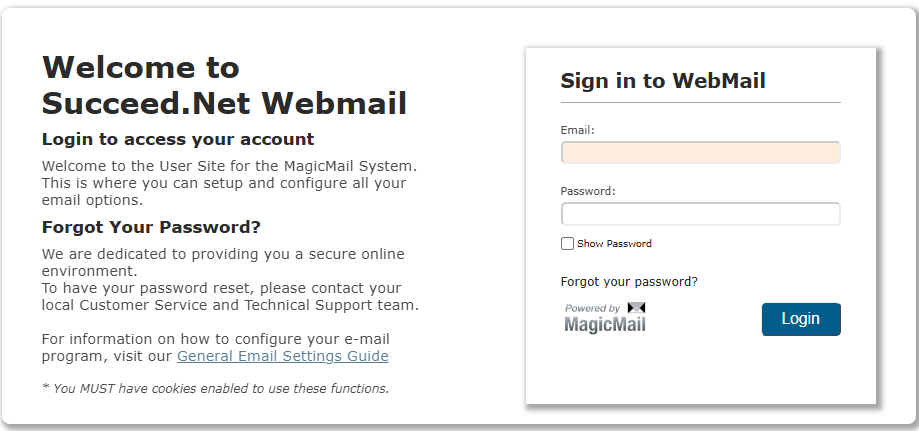
Go to the following link
https://mail.succeed.net
Login: full email address (username@domain.com) and your email password.
After signing in, you will select "Spam Management" from the list on the left.
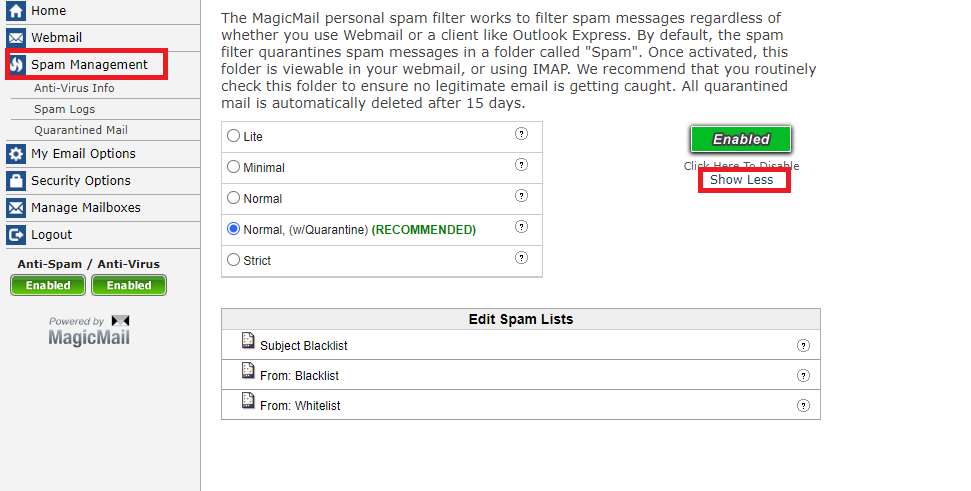
From here you can add/remove email addresses to your whitelist or blacklist(you may need to click "show more/less" that is outlined in red on the screenshot). The whitelist will allow email addresses to come into your inbox that may have been going into the spam folder. The blacklist will allow you to block an email address and send it to the spam folder.
You can also set your spam filter strength here as well however, we recommend leaving it on the default, "Normal, (w/Quarantine)".